


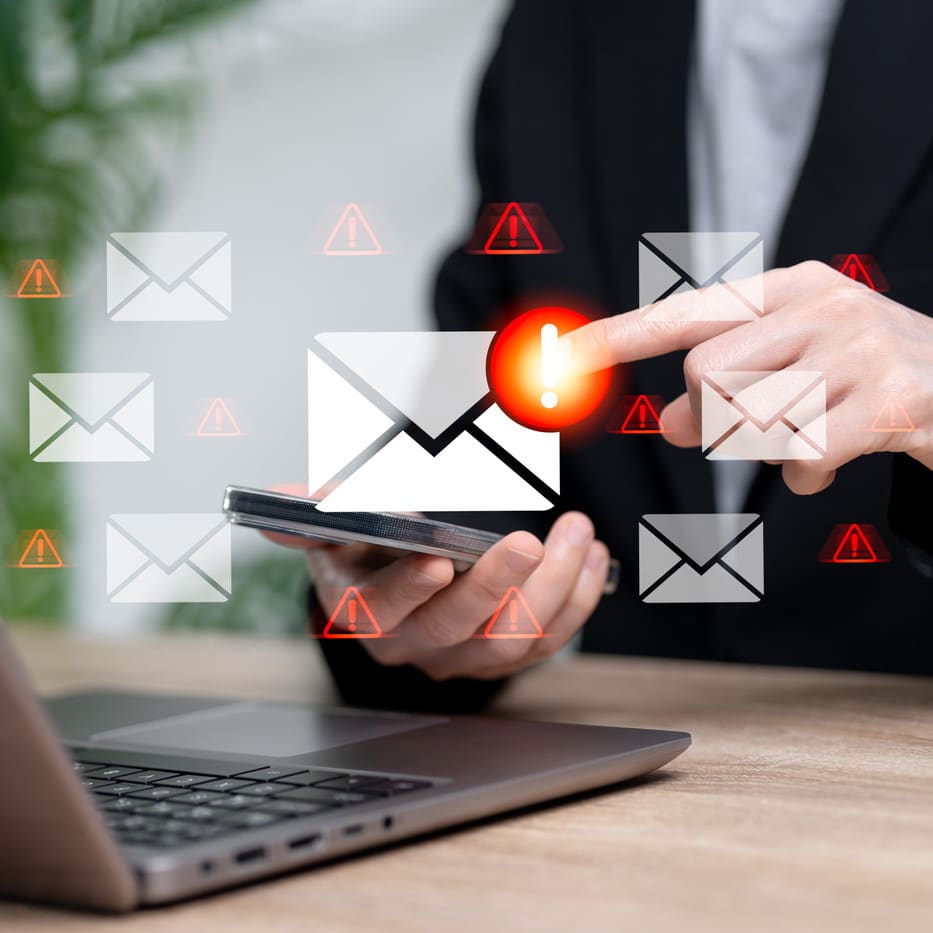
ClickFix: The Risk, and How to Protect Yourself
What is ClickFix, who does it target and how to protect against this fast-evolving threat?
Ata time when phishing attacks are growing in number and sophistication, some campaigns stand out as a particular threat. One such campaign is "ClickFix”, a new technique targeting the hospitality sector, with adversaries aiming to compromise financial accounts and credentials.
It is easy to see why victims are falling for ClickFix. The attack starts with a fake error message pop-up, with the user encouraged visit a site or copy and paste a command that will lead to an exploit or direct download of the malware package.
So what is ClickFix, who does it target and what do CISOs need to do to protect their business against this fast-evolving threat?
Social Engineering Technique
ClickFix is a phishing technique that redirects users to a website which fools them into installing fake updates or fixes, says David Sancho, senior anti-virus threat researcher at Trend Micro.
These attacks are often referred to as two-step phishing because the initial website is not malicious. “It hosts a malicious script that redirects users to a fake login page controlled by the attacker,” Sancho explains.
The primary goal of the phishing campaigns is to collect corporate login credentials, says Sancho. “These may be sold to other criminals, who will use them to access corporate networks and data. Often, the intruders exfiltrate and encrypt the data, demanding a ransom for its return.”
A recent Proofpoint report highlighted how adversaries are using a fake CAPTCHA themed ClickFix technique that pretends to validate the user with a “verify you are human” check.
In September 2024, Proofpoint researchers identified a campaign using GitHub notifications to deliver malware. In mid-October 2024,researchers observed malvertising using ChatGPT themed lures to deliver XWorm via the ClickFix technique.
Recent attacks have primarily focused on the hospitality sector, including hotels and booking platforms. Attackers are targeting this industry for several reasons: Staff may lack cybersecurity training; they regularly handle large volumes of financial transactions; and they often operate under high-pressure conditions where quick solutions are valued, says Boris Cipot, senior security engineer at Black Duck. “The ClickFix technique thrives in these environments by exploiting urgency and trust in seemingly helpful prompts.”
Brand Impersonation
As part of the lures, brand impersonation continues to be a favoured method to trick users, says Hannah Baumgaertner, head of research at Silobreaker.
Adversaries typically impersonate major brands, including document sharing platforms such as OneDrive, SharePoint and Docusign. “Victims are often deceived into viewing, downloading, or signing fake documents such as invoices, and are prompted to enter personal information, which is then stolen by the attackers.”
In many cases, attackers using Docusign also engage in business email compromise attacks, using the information gathered from these documents to impersonate companies and send more phishing emails to employees or business partners, says Baumgaertner.
In one set of attacks, ClickFix was used to install SecTopRat, a remote access Trojan with information stealing features, says Sean Gallagher, principal threat researcher at Sophos X-Ops. “If someone performed the fake verification and did not have malware protection, SecTopRat would have collected usernames, passwords and other information from their computer that could be used to access business software-as-a-service sites, banking information, and potentially their corporate networks.”
Attackers using SecTopRat can remotely monitor browser sessions, drop other malware, steal cryptocurrency information and set up hidden second desktops that can be used to run remotely controlled browser sessions, he warns.
ClickFix Disrupts Business
A ClickFix attack can lead to credential theft, financial fraud, malware infections and overall disruption of the business, says Dray Agha, senior manager of security operations at Huntress. “Attackers can gain unauthorised access to booking systems and payment platforms, enabling fraud and data theft.”
At the same time, malware may exfiltrate sensitive information, create backdoors, or facilitate ransomware, which itself halts operations and causes revenue loss. “Regulatory fines, legal action, and reputational damage further compound the impact,” Agha says.
The prevalence of ClickFix is certainly concerning, and its capabilities are set to increase as technology develops.
As users become more aware of traditional phishing tactics, adversaries will refine ClickFix techniques, Agha warns. This could potentially see them incorporating AI-generated pop-ups, deeper system integration and more convincing social engineering methods, he says.
Recognising and Avoiding ClickFix
Taking this into account, CISOs should educate their teams about recognising and avoiding ClickFix-style attacks, says Keith McCammon, co-founder and chief security officer at Red Canary. “Any pop-up or prompt instructing users to run unknown scripts via Windows Run should immediately raise suspicions.”
Organisations need to ensure staff are aware of common threats and malware delivery techniques, agrees Spence Hutchinson, staff threat intelligence researcher with eSentire’s Threat Response Unit. “Ensuring staff are educated on these tactics will reduce the success of social engineering attacks and increase the likelihood of users reporting potentially malicious content.”
Meanwhile, technical defences are “equally crucial”, according to Cipot. For example: “Implement a zero trust architecture, deploy detection and response tools, and harden operating systems and browsers. Limit user privileges so employees cannot run scripts or execute commands.”
Sancho advises CISOs to take three main actions. “Filter all email messages to detect these phishing emails; filter all web pages to prevent malicious scripts from running; and raise awareness among all corporate users so that they can recognise and ignore them.”
Upcoming Events
No events found.
Related content
Cybersecurity Breaches Survey: Why Phishing Now Beats Ransomware – And What To Do
Crypto phishing scam crackdown sought by new global international law enforcement operation

Suspected state-backed phishing campaign targets officials, journalists

NatWest, NCA launch invoice fraud awareness drive
Infostealers: Addressing a rising threat to UK businesses
Phishing Surge Hits Universities in Back-to-School Scam
Industrial Sector Subjected to Advanced Zipline Phishing Campaign
Confirm cancellation
Something went wrong.
An error occurred trying to play the stream. Please reload the page and try again.
CloseSign up benefits
Registering with SC Media is 100% free. Join tens of thousands of cybersecurity leaders today and gain access to the latest analysis shaping the global infosec agenda.
- Weekly newsletters featuring industry-leading insight
- Access to free cyber expert webinars and videos
- Privileged viewership of special reports, such as the Annual Cyber Salary Survey and Women of Influence